Learning Targets:
- I can turn in my License plate design and research assignment
Due Today:
- License plate design. Turn in a .psd or .jpg file and name it lastname_plate
- Turn in a link to your research webpage or slideshow
- Turn in your copyright law document
- Turn in your “vectorize” a raster image. Turn in a .psd or .jpg file and name it lastname_vectorize
How to turn in your work:

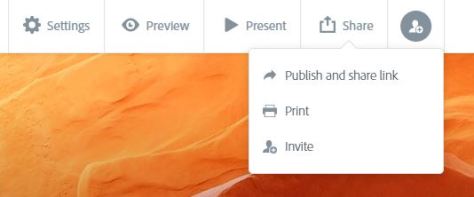
- Click on the share button
- Click on publish and share link
Video presentation
Click on the create link button after setting up the share settings
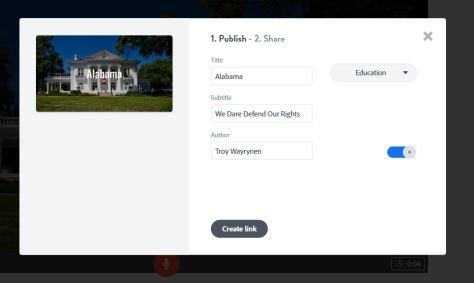
Click on the create link button after setting up the share settings
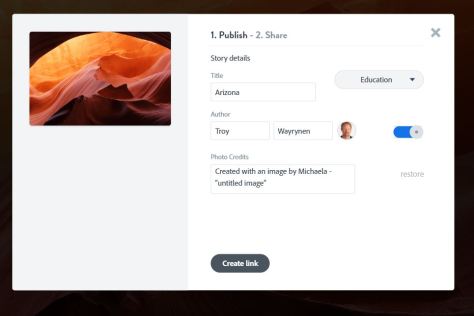
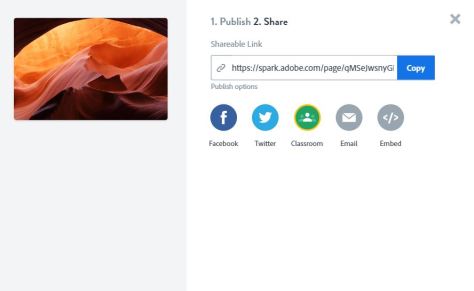
Click on the blue copy link button or click on the green classroom icon.
Turn in your work by selecting add link to the Google Classroom assignment or go directly to the assignment and turn in your work using the green classroom button.
If you finish your assignments early consider helping other students complete their work, or working on expanding your Photoshop knowledge by seeking out an online tutorial.
 Advertising Class